Identity
Learn how to set an on-chain identity on the Avail Network.
Introduction
identity_setIdentity extrinsic. The AvailApps explorer provides a convenient UI to set an identity for your account, which is what we will be doing in the next section.
Identities vs Sub-Identities
- Each account on Avail can create a main identity and up to 100 sub-identities.
- Each of these sub-identities are linked to the main account.
- A possible way of using this feature could be to create a main identity for your team, and then create sub-identities for each of your team members.
- A deposit of
2 AVAILis required per sub-identity.
Note
- Users need to lock a small account of
AVAILto set an identity, which is refunded if and when the identity is cleared. - The bond amount for registering an on-chain identity is currently 100 AVAIL.
- The bond amount for registering each sub-identity is 2 AVAIL.
- The maximum number of sub-identities per identity is 100.
Set Your On-Chain Identity
Note
PREREQUISITES
The only prerequisite is that you have access to one or more Avail DA accounts. Refer to our docs on setting up an Avail wallet for more details if needed
The only prerequisite is that you have access to one or more Avail DA accounts. Refer to our docs on setting up an Avail wallet for more details if needed
Navigate to the accounts page on the Avail Apps Explorer
Set on-chain identity.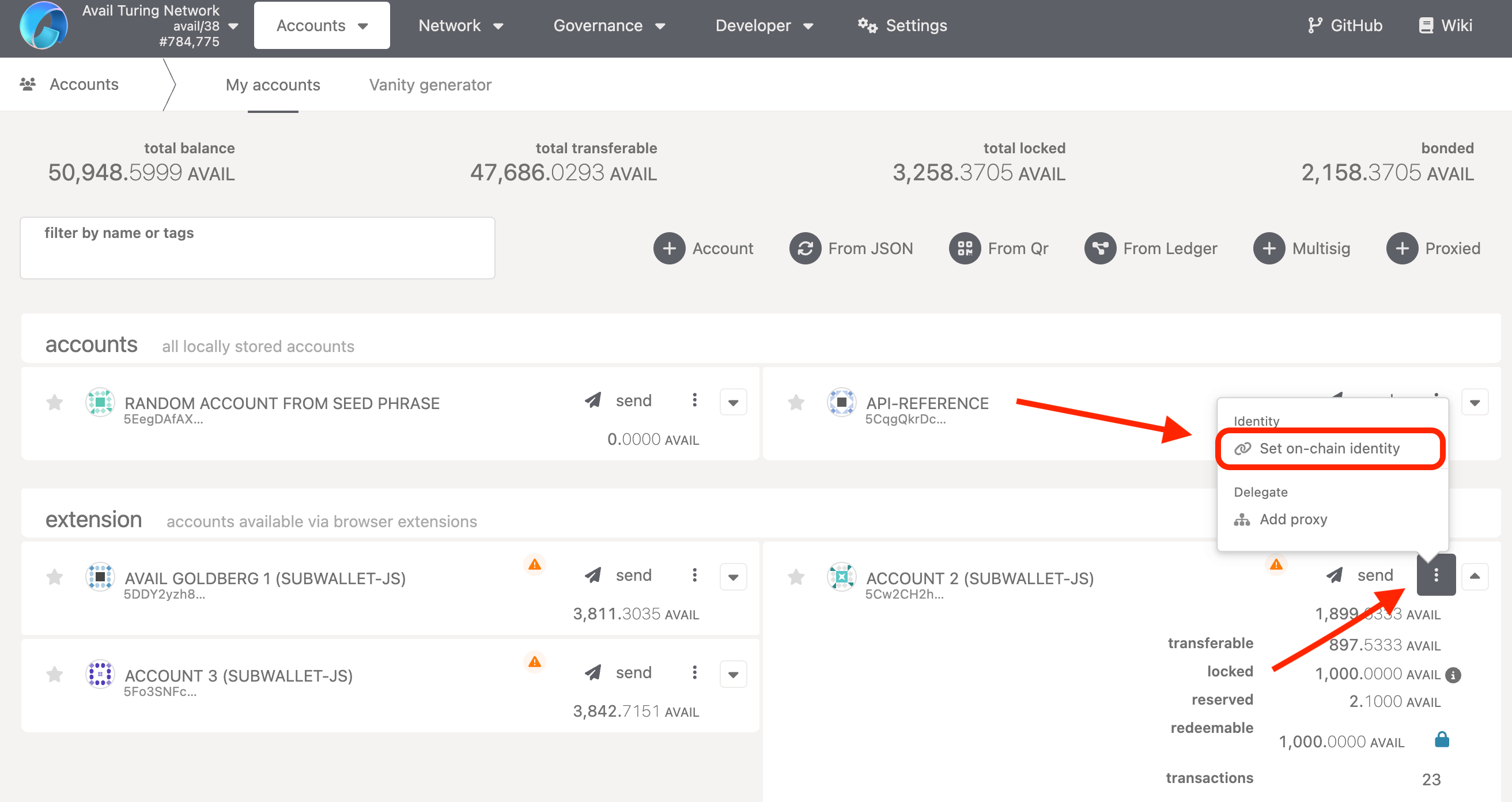
Fill out the fields that you want to set
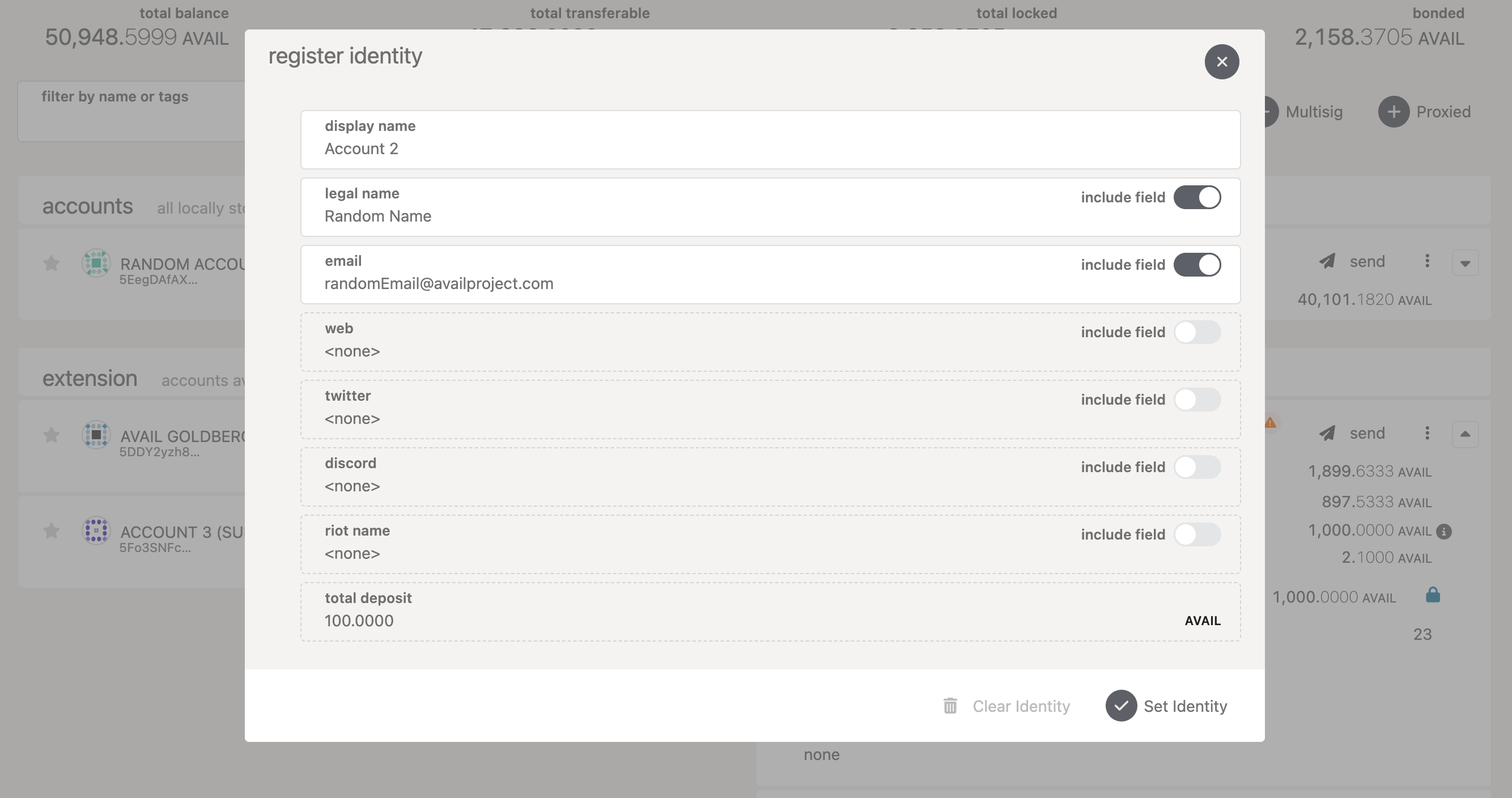
Submit the transaction
Set Identity. Make sure the appID is 0, and click on Sign and Submit.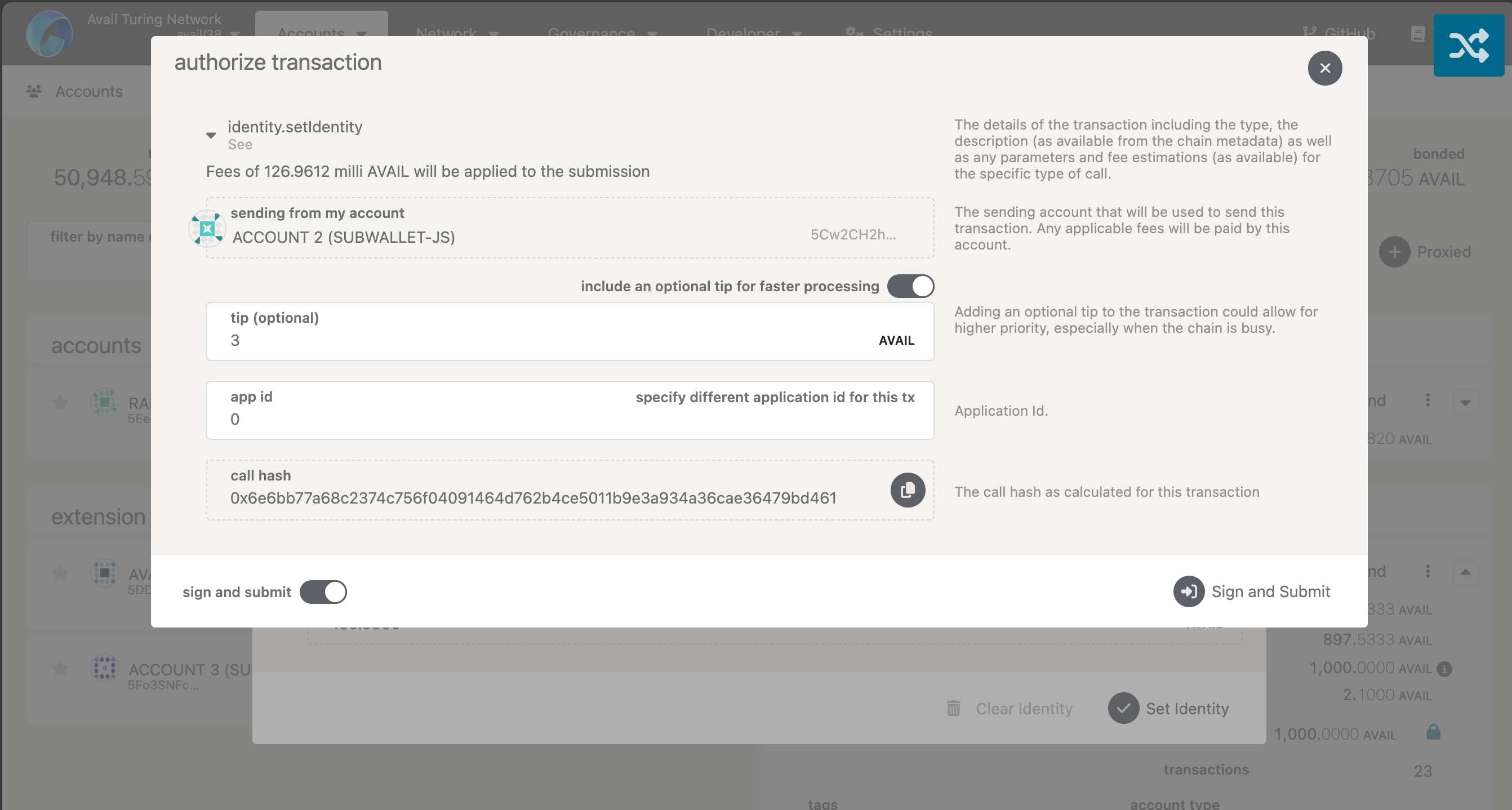
The account will now have a registered on-chain identity which you can clear to recover the bonded AVAIL tokens.
How is this guide?